Administrative access is the single most valuable target on any WordPress site, since a compromised administrator account gives an attacker essentially the same control a legitimate owner has. Login security isn’t one setting; it’s a combination of credentials, account structure, and monitoring that together reduce the chance of account takeover and limit the damage if one account is compromised anyway. This guide, part of the WordPress Security series alongside WordPress Security Hardening Checklist: Updates, Access, Backups, and Recovery, covers the practical login-specific measures that matter most, without claiming any single one makes a site invulnerable.
Why login security matters
Unlike a vulnerability in a specific plugin, a compromised administrator login gives immediate, broad access: the ability to install plugins, edit files (if not restricted), create new accounts, or modify content entirely. This makes login security a foundational layer that other protections, backups, monitoring, hardening, depend on remaining intact.
Credential stuffing versus brute-force attacks
These are related but distinct attack patterns. A brute-force attack systematically guesses many possible passwords against one specific account. Credential stuffing instead uses username/password combinations already leaked from unrelated breaches elsewhere, betting that a person reused the same password across multiple sites. Both are automated, high-volume attacks; the defenses that help (unique passwords, MFA, rate limiting) overlap significantly but aren’t identical, since credential stuffing succeeds even against a technically “strong” password if that exact password was reused and leaked elsewhere.
Strong unique passwords
A strong password is long and unpredictable; a unique password is one used nowhere else. Both matter independently: a long, complex password that’s reused across multiple sites is still vulnerable to credential stuffing if any one of those other sites is breached, while a genuinely unique but short password remains vulnerable to brute-force guessing.
Password managers
Generating and storing a long, unique password for every account through a password manager removes the practical burden of memorizing dozens of complex passwords, which is what makes password reuse so common in the first place. This applies to every WordPress user account, not just Administrator-level ones, since any account can potentially be a stepping stone to broader access depending on how roles and plugins are configured.
Multi-factor authentication
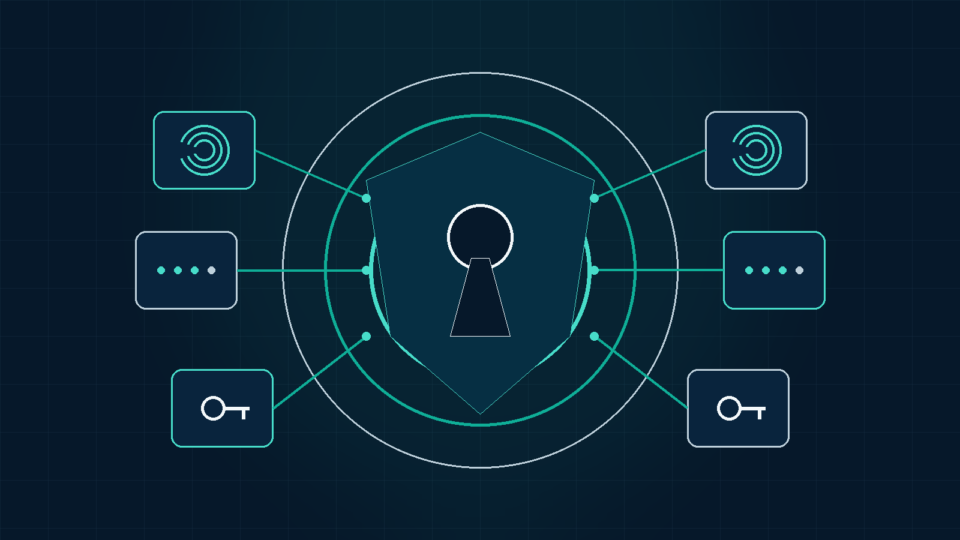
CISA’s guidance identifies multi-factor authentication (MFA) as one of the most effective available protections against account takeover, since it requires an attacker to compromise a second factor beyond the password alone. Not all MFA methods provide equal protection: CISA ranks phishing-resistant methods, such as hardware security keys, above authenticator-app codes, which in turn are considered stronger than SMS-based codes, though any MFA is meaningfully better than none. WordPress does not include MFA by default; enabling it requires a plugin or a hosting-provided feature.
Administrator accounts and least privilege
The principle of least privilege, giving each account only the access it genuinely needs, applies directly to WordPress’s built-in role system. Not every contributor to a site needs Administrator access; limiting that level of access to the smallest practical number of accounts reduces how much damage a single compromised login can cause.
Editor, author, contributor, subscriber, and custom roles
WordPress’s built-in roles offer meaningfully different access levels: Editor can manage and publish all content but not typically manage plugins or users; Author can publish only their own posts; Contributor can write but not publish without review; Subscriber has minimal access, typically just profile management. Assigning the role that matches what a person actually needs to do, rather than defaulting everyone to Administrator for convenience, is one of the most effective and lowest-effort security improvements available. Custom roles, available through some plugins, can further restrict access for specific needs (a support contractor who only needs access to a specific plugin’s settings, for example).
Removing unused accounts
Accounts belonging to former employees, contractors, or contributors who no longer need access should be removed, not simply left inactive. An unused account with valid credentials is an unnecessary open door, particularly if that person’s email account (used for password resets) is also no longer actively monitored by anyone.
Shared administrator accounts
Multiple people sharing a single Administrator login makes it impossible to know who actually took a specific action, complicates removing access for one person without affecting everyone else, and multiplies the number of places a single set of credentials could be exposed or leaked. Individual accounts with appropriately scoped roles are preferable even when it’s more convenient to share one login among a small team.
Protecting password-reset and email accounts
WordPress’s password-reset process sends a reset link to the email address associated with an account, which means that email account’s own security directly affects WordPress account security. An attacker who compromises the associated email account can typically reset the WordPress password regardless of how strong the original one was, making MFA and strong passwords on that email account just as relevant as on WordPress itself.
Login rate limiting
Rate limiting restricts how many login attempts can be made against an account within a given time period, directly countering brute-force attempts that rely on trying many passwords in rapid succession. This is not a native WordPress core feature; it requires a security plugin or a server/firewall-level rule to implement.
CAPTCHA limitations
CAPTCHA challenges can meaningfully reduce simple, unsophisticated automated login attempts, but they are not a complete solution: some automated attack tools include CAPTCHA-solving capabilities, and CAPTCHA does nothing to protect against credential stuffing using valid, already-correct credentials or against a compromised email account being used to reset a password. Treat it as one layer among several, not a standalone fix.
Login URL changes and their limitations
Changing the default /wp-login.php URL to something less predictable can reduce the volume of generic, automated scanning traffic hitting the login page, but it provides no protection against a targeted attacker who has otherwise discovered the actual URL, and it is a form of security through obscurity rather than a genuine access control. It’s a reasonable minor addition to a broader strategy, not a security measure to rely on by itself.
XML-RPC considerations
WordPress’s XML-RPC interface, used for some remote publishing tools and mobile apps, has historically been exploited for authentication brute-force attempts, since it can process many credential attempts efficiently in certain configurations. Since WordPress 4.4, the specific amplification technique using system.multicall to test many passwords in one request has been restricted after the first failed attempt, though disabling XML-RPC entirely, or restricting its authentication to application passwords only where supported, remains a reasonable additional step if the underlying functionality isn’t actively needed.
Application passwords
WordPress core includes an Application Passwords feature, intended specifically for API-based authentication (such as the REST API and, where enabled, XML-RPC) rather than for interactive human logins through wp-login.php. Application passwords are stored hashed, shown only once at creation, and individually revocable, allowing a specific integration or script to be disabled without needing to change the user’s main password. Using a dedicated application password for a specific integration, rather than that integration using a user’s actual login password, limits the exposure if that specific integration is later compromised.
Session management
WordPress uses authentication cookies and session tokens to maintain logins. After a suspected account compromise, change the affected password and terminate that user’s other sessions. Rotating the site-wide WordPress authentication keys and salts invalidates sessions for every user, so reserve that broader step for incidents where the scope is unclear or multiple accounts may be affected.
Logging out inactive sessions
Leaving a session logged in indefinitely, particularly on a shared or public computer, extends the window during which a physically or remotely accessed, unattended session could be misused. Logging out after completing administrative work, especially on any device not exclusively used by one person, is a precaution.
Trusted devices and public computers
Avoid logging into WordPress administrative accounts from public or shared computers where possible, since such devices may have keylogging malware or leave session data accessible to the next user. If it’s unavoidable, use a private browsing window and log out completely afterward, and consider changing the password afterward as an added precaution given the uncertainty about that device’s security.
Security logs and login alerts
Logging login attempts, both successful and failed, and configuring alerts for unusual patterns (repeated failures, a login from an unfamiliar location) provides the information needed to notice a problem early and to investigate what happened during a suspected incident. Without this in place beforehand, reconstructing events after the fact is considerably harder.
Hosting-level and web application firewall protection
Some hosts provide login protection or rate limiting at the server level, independent of any WordPress plugin, which can be a useful additional layer, particularly since it operates before a request even reaches WordPress itself. A web application firewall (WAF) can similarly filter suspicious login-related traffic patterns before they reach the login form, though, as with other protections, this reduces risk rather than eliminating it.
Backup administrator access
Maintain at least one reliable way to regain administrative access if the primary method fails, whether that’s a securely stored recovery credential, direct database or file access through hosting, or a documented process with the hosting provider. Losing all administrative access simultaneously (a lost MFA device with no backup method configured, for example) can be as disruptive as an actual compromise.
Emergency account-recovery process
Document, in advance, how to regain access if a password is lost, an MFA device is unavailable, or an account is compromised and needs to be locked out, including who has hosting-level or database access as a last resort. This documented process is only as useful as the backups behind it, covered from a database-safety perspective in WordPress Database Optimization: Safe Cleanup, Autoloaded Options, and Query Performance. Figuring this out for the first time during an actual emergency costs valuable time.
WooCommerce, membership, and multi-author site considerations
Sites with many contributor accounts, e-commerce customer accounts, or membership logins have a larger overall attack surface simply due to the number of accounts involved. Extending least-privilege role assignment and MFA requirements to any account with elevated access (not just the primary Administrator) becomes more important as the number of active accounts grows.
What to do after suspicious login activity
Change the affected account’s password, end its other sessions, and review available login or security logs. Check for unexpected users, role changes, plugins, files, content edits, and application passwords. If password reuse or wider compromise is possible, reset other privileged credentials and rotate the site-wide authentication keys and salts. Treat confirmed unauthorized access as an incident that may require restoring from a known-clean backup and investigating the entry point.
Common login-security mistakes
- Reusing the same password across WordPress and other unrelated accounts
- Giving every contributor Administrator access by default rather than an appropriately scoped role
- Assuming a changed login URL or CAPTCHA alone provides meaningful protection
- Leaving former employees’ or contractors’ accounts active after they no longer need access
- Having no backup method to regain administrative access if the primary method fails
- Not securing the email account associated with password resets to the same standard as WordPress itself
Practical login-security checklist
- Use a password manager to generate and store unique, strong passwords for every account
- Enable multi-factor authentication, prioritizing phishing-resistant methods where available
- Assign the least-privileged role that matches each person’s actual responsibilities
- Remove unused accounts rather than leaving them inactive
- Avoid shared administrator logins; use individual, appropriately scoped accounts instead
- Secure the email accounts used for password resets to the same standard as WordPress itself
- Implement login rate limiting and consider disabling XML-RPC if not actively used
- Maintain a documented, tested backup method for regaining administrative access
Key Takeaways
- Login security combines credentials, account structure, and monitoring; no single measure provides complete protection.
- Credential stuffing and brute-force attacks are different patterns; unique passwords and MFA address both, but neither alone is sufficient.
- Least privilege, assigning the smallest necessary role to each account, meaningfully limits the damage from any single compromised login.
- Changing the login URL, adding CAPTCHA, or installing one security plugin each help modestly but do not make a site secure on their own.
- A documented emergency recovery process and off-site, tested backups matter as much as prevention, since no defense is guaranteed to hold.
FAQs
Does changing my WordPress login URL make my site secure?
No. It reduces generic automated scanning traffic but provides no protection against a targeted attacker who discovers the actual URL. Treat it as a minor addition to a broader security approach, not a standalone fix.
Is CAPTCHA enough to stop brute-force login attempts?
It helps against simple automated attempts but isn’t complete protection; some attack tools can solve CAPTCHAs, and it does nothing against credential stuffing using already-valid credentials. Combine it with rate limiting, MFA, and unique passwords.
Should every WordPress user have Administrator access for simplicity?
No. Assign the least-privileged role that matches each person’s actual responsibilities. Limiting Administrator access to the smallest necessary group reduces the potential damage from any single compromised account.
Do I need to disable XML-RPC entirely?
It depends on whether you actively use functionality that requires it. If nothing on your site relies on XML-RPC, disabling it removes a historically exploited attack surface. If you do need it, restricting its authentication method where your host or a plugin supports this is a reasonable middle ground.
What should I do immediately if I suspect someone accessed my WordPress admin without authorization?
Change the affected password, end the account’s other sessions, review logs and user-role changes, and inspect for unexpected files, plugins, content, or application passwords. Escalate to a broader incident-response and recovery process if unauthorized access is confirmed or the scope is uncertain.
Sources and further reading
- CISA — Require Multifactor Authentication
- WordPress Developer Resources — Brute Force Attacks
- WordPress Developer Resources — Application Passwords
- WordPress.org — Roles and Capabilities
- WordPress Developer Resources — Hardening WordPress
- WordPress Core Trac — XML-RPC authentication restriction ticket #34336