Featured article
Recognizing and Responding to a Hacked WordPress Site
A calm, ordered incident-response framework for a compromised WordPress site, and when the situation calls for professional help.
Read MorePractical WordPress performance, tested and explained.
Topic hub
No plugin, firewall, or checklist makes a WordPress site completely secure. Security is about reducing risk, limiting access, detecting abnormal activity, and preserving a recovery path rather than eliminating every possible threat. This hub provides a practical route through account protection, permissions, updates, backups, monitoring, and incident readiness.
Security as risk reduction, not perfect protection
A well-hardened site combines independent layers: maintained software, restricted access, monitored activity, and a tested backup process. The goal is to reduce the chance that one failure immediately becomes a complete loss of control. No single measure discussed in this category, on its own, guarantees a secure outcome.
Strong authentication and MFA
Weak, reused, or exposed passwords increase account-takeover risk. A password manager makes unique credentials easier to maintain, and multi-factor authentication adds another verification step beyond the password. Administrator and hosting accounts deserve particular attention because they can make broad changes to the site and its infrastructure.
Least privilege and user roles
Not every contributor needs Administrator access. Assigning the smallest role that matches a person’s actual responsibilities, such as Editor, Author, or Contributor where appropriate, limits what a compromised or misused account can change. Review access periodically and remove accounts or integrations that are no longer required.
Login protection and Application Passwords
Rate limiting login attempts, avoiding shared administrator accounts, and securing the email address used for password resets all reduce account-takeover risk. Application Passwords, a WordPress core feature intended for API authentication rather than interactive logins, let a specific integration be individually revoked without affecting a user’s main password.
Updates and vulnerability management
Keeping WordPress core, plugins, themes, and PHP updated on a short, regular cycle closes known, exploitable vulnerabilities before they’re used against your site. Abandoned plugins and themes, no longer receiving updates from their developer, accumulate unpatched risk over time with no prospect of a fix, making periodic review and removal of unused software a routine part of maintenance.
Backups and recovery
An untested backup is an assumption, not a guarantee. Off-site backups, stored somewhere other than the same server as the live site, and periodic restoration tests are what actually make recovery possible after a genuine incident, since a single server compromise or hosting failure could otherwise destroy the site and its only backup copy simultaneously.
Incident readiness and recovery decisions
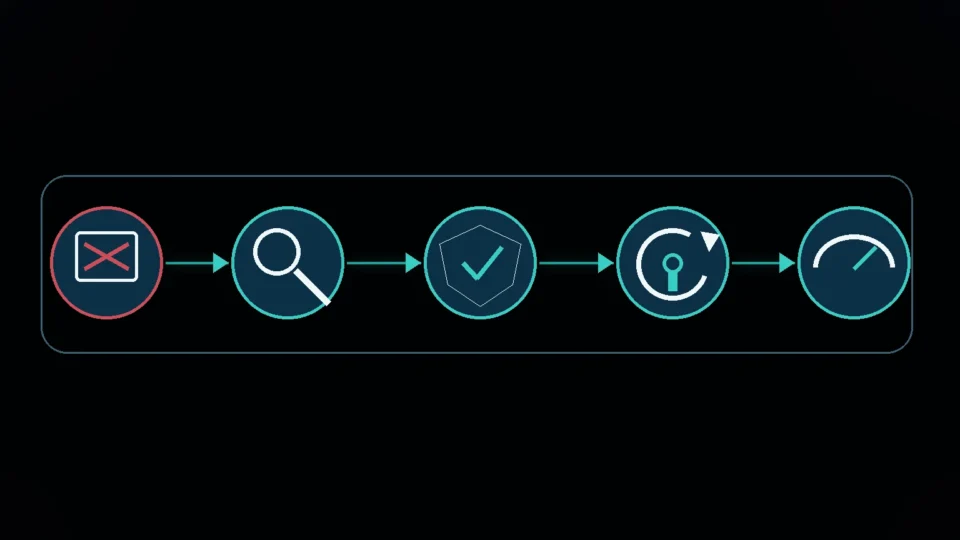
Before an incident, document who can access the host, DNS, domain registrar, WordPress administrators, and backup system. Know how to place the site in maintenance mode, revoke sessions or integration credentials, restore a clean backup, and preserve logs for investigation. Recovery should not automatically overwrite evidence or reintroduce the same vulnerable component. After restoration, rotate affected credentials, patch the entry point, and verify the site before returning it to normal operation.
Monitoring, logging, and hosting responsibility
Logging login attempts and file changes provides the information needed to investigate a suspected incident after the fact and to distinguish routine activity from something abnormal. Some of these responsibilities, server-level firewalling, automatic backups, malware scanning, may already be handled by a hosting provider; confirming exactly what’s included, rather than assuming, avoids gaps in coverage that neither the site owner nor the host is actually covering.
Protect the accounts around WordPress
WordPress is only one part of the control chain. A compromised hosting account, domain registrar, DNS provider, deployment account, or administrator email can bypass protections inside the dashboard. Use unique credentials and MFA where available, restrict who can access recovery channels, and keep ownership details current. Review API credentials and Application Passwords as integrations change, and revoke anything that no longer has a clear operational purpose.
Recommended reading path
Start with WordPress Security Hardening Checklist: Updates, Access, Backups, and Recovery for the broad picture, then go deeper on account-specific protection with WordPress Login Security: MFA, Least Privilege, and Brute-Force Protection.
Responsible security reports
If you’ve identified a genuine security issue affecting this website itself, rather than your own WordPress site, please report it responsibly through the Contact page rather than public disclosure before it’s been reviewed.
A note on scope
This category currently includes two published guides. Neither claims that following any checklist, configuration, or combination of plugins guarantees a secure website; hardening reduces risk and limits potential damage, and that framing applies throughout this category.
3 published articles
Featured article
A calm, ordered incident-response framework for a compromised WordPress site, and when the situation calls for professional help.
Read MoreMore in this topic
No single setting secures WordPress logins. Here's a practical guide to MFA, least privilege, brute-force protection, and emergency account recovery.
Read MoreNo tool can make WordPress completely secure. Use this layered hardening checklist to improve software updates, administrator access, MFA, file protection, off-site backups, monitoring, and incident recovery.
Read More