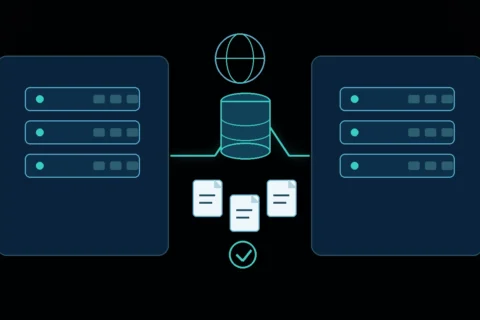
No amount of caching, image compression, or code cleanup can make a website faster than the server underneath it allows. That underlying limit is the server performance floor: the baseline response time and capacity set by hosting infrastructure, PHP configuration, and server resources, before WordPress, themes, or plugins do anything at all. Understanding where that floor sits helps you know whether a slow site needs optimization or needs different infrastructure.
What the server performance floor means
Every request to a WordPress site passes through the same basic sequence: the web server receives the request, PHP executes the relevant code, the database is queried, and a response is assembled and sent back. Each of these steps has a minimum time cost determined by the hardware and software behind it. A page cache or CDN can hide much of this cost for repeat requests, but the underlying floor still matters for the first request that generates a page, for logged-in traffic, for dynamic content that cannot be fully cached, and for how much simultaneous traffic the site can handle before slowing down.
If you have already built a measurement baseline as described in How to Measure WordPress Speed Before Making Any Changes, Time to First Byte (TTFB) is a useful indicator of the combined delay before the first response byte arrives. It includes connection and network time as well as web-server and application response time, so it should be interpreted alongside server-side timing data where available.
Shared, VPS, managed, and cloud hosting differences
Hosting options generally fall into a few broad categories, and each represents a different position on the performance floor:
- Shared hosting: Many websites run on the same physical server and share its CPU, memory, and I/O capacity. This is typically the most affordable option and can be adequate for low-traffic sites, but performance can be affected by the activity of other sites on the same server, a factor referred to as “noisy neighbor” contention.
- VPS (Virtual Private Server) hosting: A physical server is divided into isolated virtual instances, each with dedicated resource allocations. This generally provides more predictable performance than shared hosting, though the underlying physical server is still shared, and the quality of virtualization varies by provider.
- Managed WordPress hosting: A hosting environment specifically configured and tuned for WordPress, often including server-level caching, staging environments, and WordPress-specific support. The underlying infrastructure may be shared, VPS-based, or cloud-based, but the configuration is optimized around WordPress’s typical needs.
- Cloud hosting: Resources are drawn from a distributed infrastructure pool and can often scale up or down based on demand. This can handle traffic spikes more gracefully than fixed-resource hosting, but cost and complexity are generally higher, and performance still depends heavily on how the environment is configured.
None of these categories guarantees speed on its own. A poorly configured VPS can underperform a well-tuned managed host, and vice versa. What matters is the specific resources, configuration, and support behind the plan, not the marketing label attached to it.
CPU, memory, storage, and database limitations
Four resource types most directly shape the performance floor:
- CPU: Determines how quickly PHP code executes and how many simultaneous processes a server can run. A CPU-constrained plan can cause slow response times under even modest concurrent traffic.
- Memory (RAM): Insufficient memory can cause PHP processes to fail or the server to swap to slower disk storage, both of which increase response times. WordPress itself defines a PHP memory limit constant, but the physical server also needs enough total memory to run multiple processes concurrently.
- Storage: Solid-state storage (SSD or NVMe) significantly outperforms traditional spinning disks for the frequent small read/write operations WordPress and its database generate. Storage type affects both file access and database query speed.
- Database resources: WordPress relies heavily on MySQL or MariaDB for nearly every page load. A database that is under-provisioned, poorly indexed, or running on constrained hardware becomes a bottleneck regardless of how fast the rest of the server is.
PHP version and WordPress/plugin compatibility
WordPress core, PHP, and the broader PHP ecosystem move on separate release schedules, and keeping them aligned matters for both performance and security. As of July 2026, WordPress.org recommends PHP 8.3 or later, while WordPress 7.0 retains PHP 7.4 as its minimum supported version. PHP release support changes over time, so check the live WordPress requirements and PHP supported-versions pages before upgrading. Also verify the active theme and plugins on staging, because WordPress core compatibility does not guarantee that every extension is ready for the same PHP version.
Newer PHP versions generally execute code faster, largely due to engine improvements across the PHP 7 and 8 release lines. However, compatibility is not automatic: WordPress core tends to support new PHP versions quickly, but individual themes and plugins, especially ones that have not been updated recently, may lag behind. Before upgrading PHP on a live site, verify plugin and theme compatibility on a staging copy first, since an upgrade can surface fatal errors in outdated code that previously ran without complaint.
PHP workers and concurrent requests
A “PHP worker” (in a PHP-FPM configuration) is a process capable of handling one PHP request at a time. If a hosting plan allows, for example, four PHP workers, only four PHP requests can be processed simultaneously; a fifth simultaneous request has to wait for one of the four to finish. On a plan with limited PHP workers, this can cause slowdowns during traffic spikes even if the site otherwise loads quickly under normal conditions. If a site experiences slowness specifically during high-traffic periods rather than at all times, an insufficient number of PHP workers is a common and often overlooked cause.
Time to First Byte
Time to First Byte measures the interval from navigation start until the first response byte begins to arrive. It includes redirects, DNS lookup, connection setup, network latency, and web-server response time. Server processing, PHP execution, and database work can all contribute, but a slow TTFB does not prove that the server alone is responsible. Compare multiple locations, inspect server timing where available, and test cached and uncached responses before deciding whether the bottleneck is hosting, application work, or network distance. Front-end changes such as image compression begin after the document response starts, so they cannot remove the delay already represented by TTFB.
Database performance
As a site grows, database query volume tends to grow with it, particularly with plugins that store options, metadata, and session-like data. A poorly optimized database, one with a bloated `wp_options` table, missing indexes, or excessive autoloaded data, can slow every page load, cached or not, since some queries still run even on cached pages. Managed hosts often include database-level tuning, while lower-tier shared hosting typically leaves this to the site owner.
OPcache
OPcache is a PHP extension, bundled with PHP since version 5.5, that stores precompiled PHP script bytecode in shared memory, removing the need to parse and compile the same script files on every request. This is a server-level setting rather than a WordPress-level one; it must be enabled and configured in the PHP configuration, not through a plugin. Many current hosting environments enable OPcache by default, but confirm that it is active and appropriately configured instead of assuming it is available on every plan.
Object caching
WordPress includes a built-in, non-persistent object cache that lives only for the duration of a single request; it does not carry cached data over between page loads. A persistent object cache, using an external store such as Redis or Memcached, keeps that data available across requests and across visitors, meaningfully reducing repeated database queries on busy or dynamic sites. This requires both a compatible backend running on the server (which not all hosting plans provide) and a corresponding drop-in plugin configured to use it. Object caching is covered in more detail, alongside other caching layers, in WordPress Caching Explained: Which Layers You Actually Need.
Server location and network latency
The physical distance between a server and a visitor adds unavoidable network latency, since data still has to travel that distance regardless of server speed. A site whose audience is concentrated in one region generally benefits from hosting located near that region, or from a CDN serving cached content from edge locations closer to visitors globally. This matters most for TTFB and initial connection time, less once a CDN is properly caching content.
Identifying hosting bottlenecks
A few practical signals can help distinguish a hosting-level bottleneck from an application-level one:
- Consistently slow TTFB across multiple pages and multiple tests, even with caching active
- Slowdowns that appear specifically during traffic spikes rather than at all times, suggesting a PHP worker or resource ceiling
- Server-reported errors such as “503 Service Unavailable” or “Connection timed out” under moderate load
- A hosting dashboard or control panel showing consistently high CPU, memory, or I/O usage relative to the plan’s allocation
- No improvement in TTFB after implementing page caching and OPcache, suggesting the floor itself, not the layers above it, is the constraint
Questions to ask a hosting provider
- What PHP versions are currently supported, and which is set as default?
- How many PHP workers (or equivalent concurrency limit) does this specific plan include?
- Is OPcache enabled by default, and can its configuration be adjusted or verified?
- Is a persistent object cache backend (Redis or Memcached) available, and at what plan tier?
- What CPU, memory, and storage resources are dedicated versus shared with other accounts?
- Where are the physical server locations, and is a CDN included or recommended?
- What happens during a traffic spike: is there a hard resource ceiling, or does the plan scale automatically?
When optimization is enough, and when migration is justified
If a documented baseline shows a slow TTFB that does not improve meaningfully after enabling page caching, confirming OPcache is active, and adding an object cache where appropriate, the bottleneck is likely the hosting floor itself rather than anything fixable through WordPress-level settings. In that situation, migrating to a plan with more dedicated resources, a more current PHP version, or better database performance is generally justified. Conversely, if TTFB is already reasonable and the slowdown is concentrated in front-end metrics like LCP or CLS, the more productive next step is usually front-end and caching optimization rather than a hosting change. This is a judgment call that depends on the specific site, its traffic pattern, and its budget; there is no single hosting plan or PHP version that is correct for every WordPress site.
Avoiding universal or unsupported hosting claims
It is tempting to look for a single “best” host or “correct” PHP version, but the right answer depends on site size, traffic pattern, budget, and technical comfort. A host that performs well for a low-traffic blog may struggle under a high-traffic WooCommerce store’s database load, and a PHP version considered ideal today will eventually reach end-of-life. Treat any hosting recommendation as conditional on the specific site’s needs, and re-evaluate periodically rather than adopting it as a permanent answer.
Checklist: assessing your server performance floor
- Confirm your current PHP version and compare it against the current WordPress.org recommended baseline
- Ask your host how many PHP workers your plan includes
- Confirm OPcache is enabled at the server level
- Check whether a persistent object cache backend is available on your plan
- Measure TTFB specifically, not just overall load time, to isolate server-side performance
- Compare your audience’s location against your server’s physical location or CDN coverage
- Re-test after any hosting or PHP change using the same baseline worksheet
Key Takeaways
- The server performance floor is the baseline speed and capacity set by hosting, PHP, and server resources, which no amount of WordPress-level optimization can fully overcome.
- Shared, VPS, managed, and cloud hosting each represent different tradeoffs, but none guarantees speed without proper configuration and adequate resources.
- Keeping PHP current matters for both performance and security, but plugin and theme compatibility should be verified on staging before upgrading a live site.
- TTFB is a useful early-response metric, but it includes network and connection time as well as server and application response time.
- Whether to optimize further or migrate hosting should be based on documented baseline data, not on general assumptions about a hosting brand or PHP version.
FAQs
Is managed WordPress hosting always faster than shared hosting?
Not automatically. Managed hosting is typically configured with WordPress-specific tuning, but the underlying resources can still be shared or limited depending on the plan. Compare specific resource allocations and PHP worker counts, not just the hosting category label.
How do I find out my current PHP version?
In the WordPress dashboard, go to Tools → Site Health → Info, then expand the Server section, which lists the current PHP version along with other server details.
Will upgrading PHP break my site?
It can, if a theme or plugin has not been updated to support the newer PHP version. Test the upgrade on a staging copy first and check plugin changelogs for PHP compatibility notes before applying it to a live site.
Do I need Redis or Memcached for a small blog?
Usually not. Persistent object caching provides the most benefit on sites with heavy dynamic content, complex plugin activity, or e-commerce functionality. A small, mostly static blog often sees more benefit from full-page caching alone.
What is the single biggest hosting-related speed factor?
There is no universal single factor. TTFB is useful because it captures the delay before rendering can begin, but it includes network and connection time as well as server and application work. Resource limits, PHP concurrency, database behavior, caching, and audience location should be evaluated together.